Booking a viewing on Street is very simple, however before you book a viewing, it is important that you have received dates and times that all relevant parties can do. If you will be doing the viewing, all diaries between yourself, the buyer AND the seller have to be in sync.
You will need the following information before booking the viewing
The Buyers Full name
The Buyers contact telephone number
The Buyers Email address
The buyers address (optional until offer provided)
The Buyer’s position – Are they selling a property, are they in a chain, are they a first time buyer, investor etc. Understand the situation of the buyer in as much detail as possible
The buyers finances – Are they buying with cash or with a mortgage. If they are buying with a mortgage, do they have a Decision in Principle (if you need more of an understanding of this, we can discuss further), are they porting over their existing mortgage? (again if unsure what this means, we can offer more assistance).
If they have a property to sell and not yet on the market, is there a potential opportunity for you to arrange a free valuation? Take every opportunity you can to build your pipeline.
Once you have this information, you can now book the viewing in our CRM Street.
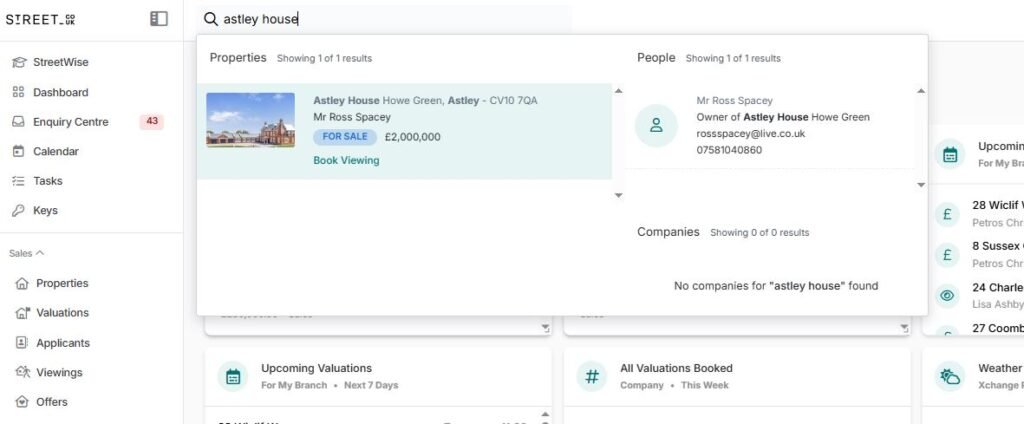
In the search bar at the top of Street, type in the property name the applicant would like to view. Then click on “Book a viewing” highlighted under the property.
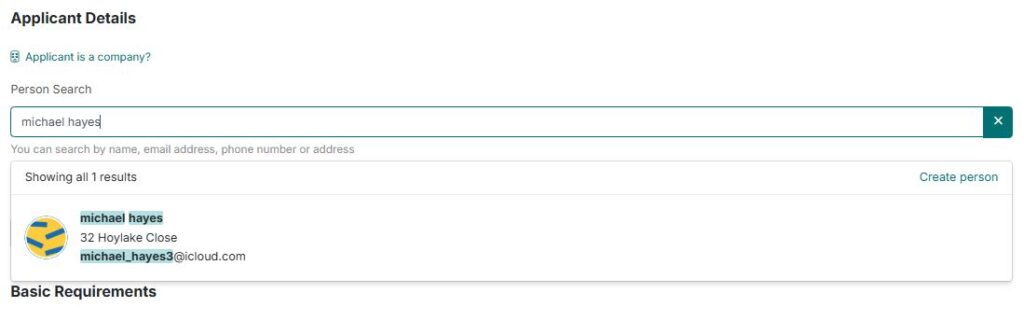
Enter the buyers name in the seach bar. If they have viewed a property before with Xchange Properties, their details will appear. If they have never viewed a property with Xchange, you will need to create a new application for them.
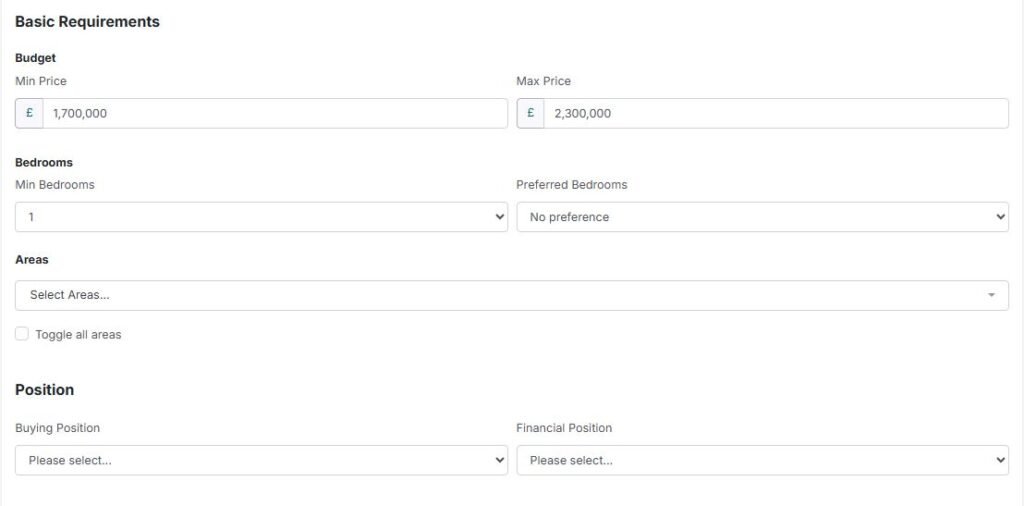
Fill out as much information as you can. The important parts here are “Buying position” & “Financial Position” as these will be saved and stored later on other documents.
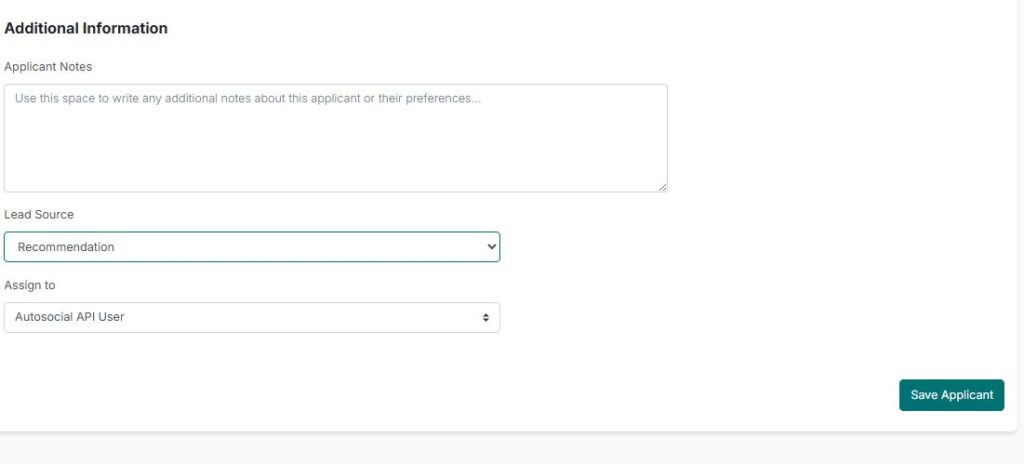
Once you have filled out all of the details of the applicant, click “Save Applicant”.
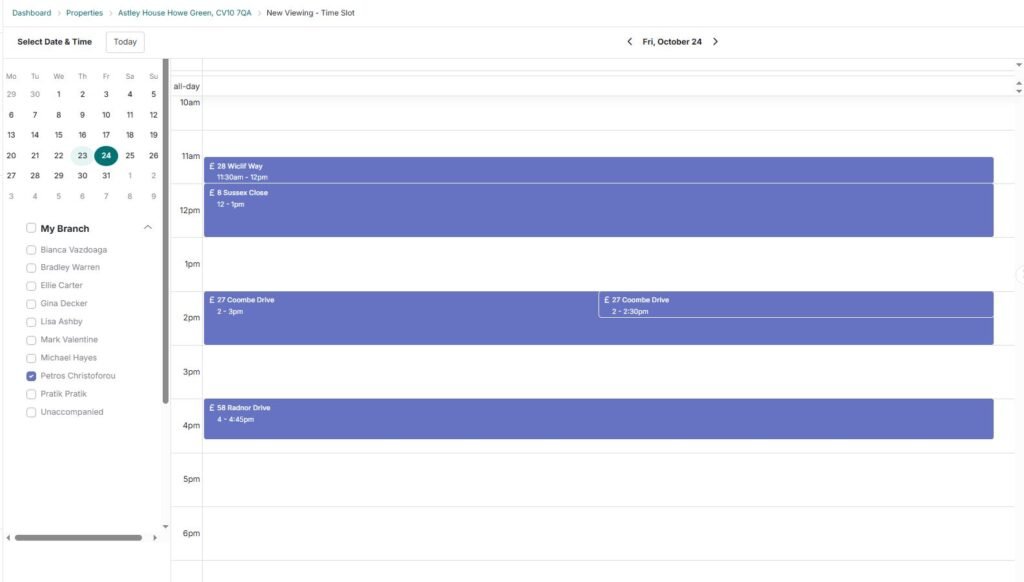
Go into your diary and check your availability between other appointments. When you have found availability, click on the time and it will highlight this appointment.
Then follow the instructions to finalise the viewing and it is done.
Your buyer and seller will receive an email and SMS message immediately after you have booked the appointment. Buyer and seller will also receive another reminder email and SMS just before the appointment.