By now, you should have your login details to Rightmove Plus.
So what is Rightmove Plus?
Rightmove Plus to put into Layman’s terms is the property archive to Rightmove available just for Estate Agents. When you look at User Rightmove via the app or desktop, it gives you access to all current property listings. Rightmove Plus allows you to view ALL of the properties ever listed on Rightmove by any agent anywhere in the country. This is a very handy tool when it comes to using comparable evidence for when you go to a property valuation.
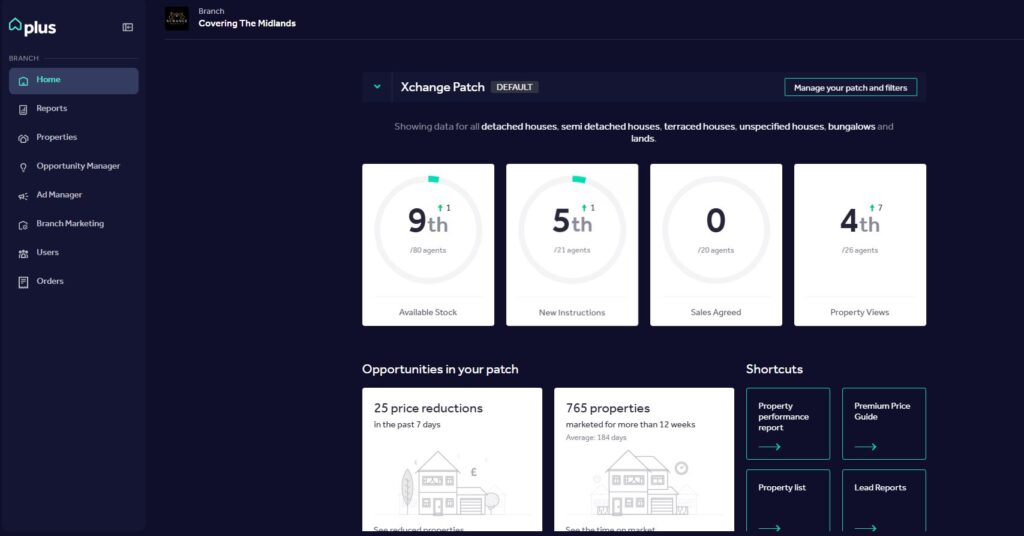
Let me show you what your landing page will look like when you first login;
At first, you might be overwhelmed by the amount of buttons to press, don’t worry, as an agent you won’t need to use many of them at all.
In Summary
The large white buttons in the centre shows how our business is performing in our core areas. This shows the last 7 days and is updated daily on Rightmove. You can click on the button to go into more detail, change timescales from 1 day up to 1 year.
To the left hand side, you will see a number of dropdowns, some of them will be greyed out or even missing if you do not have access to them.
Reports – Allows you to generate your premium price guides and any leads which may come through Rightmove. – I will show you how to generate a report on the next training page “Rightmove Reports”.
Properties – This gives you to access to all of the properties we have currently listed and live within Rightmove. Depending on your access to Rightmove Plus, this button also allows you to add Premium Listings and Featured Listings.
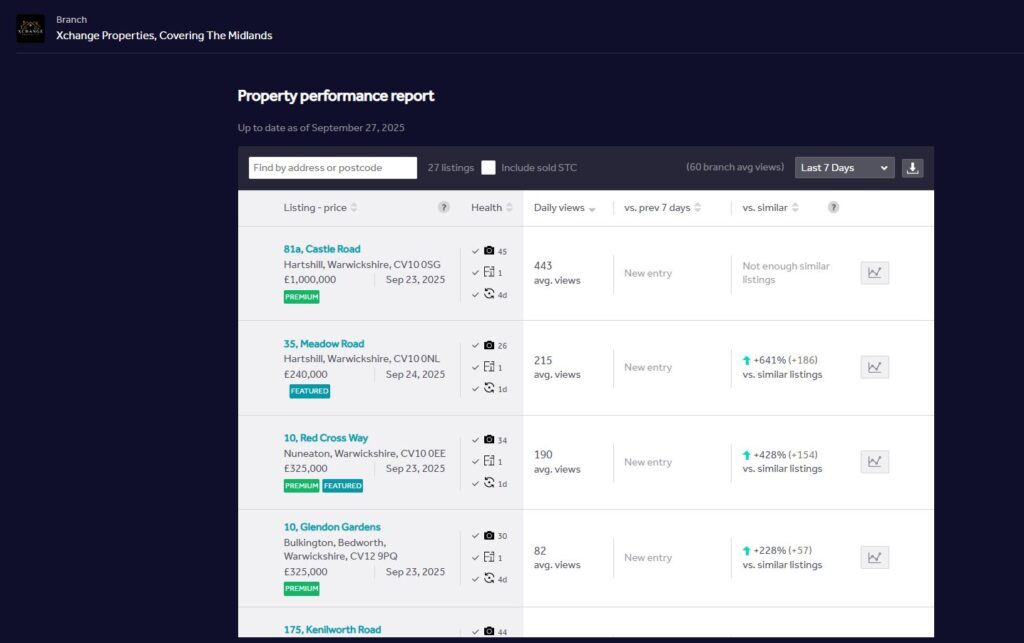
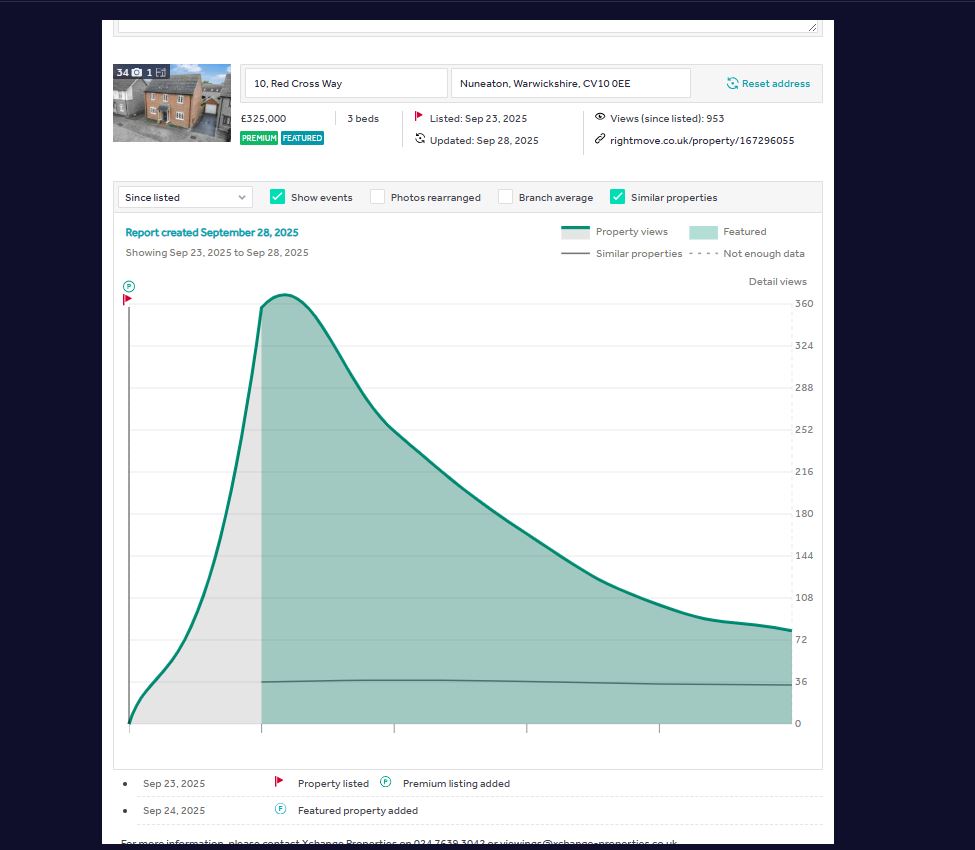
Property performance reports shows you how each individual property is performing. You can send this to your client via email which is a great way to show them how their property is performing on rightmove.
That’s all you will really need for Rightmove Plus. Go to the next slide to see how to generate a property report.